

Color is located under the Navigation tab, and Boundaries grouping
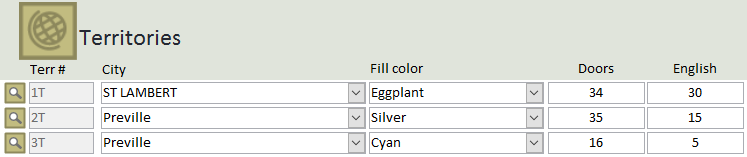
This module manages the same information as the Properties & Maps module but displays the information in a continuous form, simplifying the process of changing the city and/or color of multiple territories
Doors
- This column indicates the number of addresses in the territory. It includes all languages.
The Last column
- The title of the last column changes depending on your congregation's language. The number indicates the number of addresses in your language.
- The button with the magnifying glass open the Properties & Maps module directly to the territory