

Code is located under the Navigation tab, and References grouping
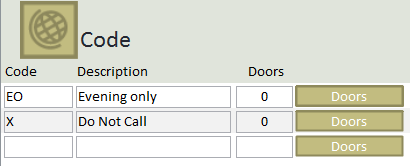
This module is useful for excluding addresses or to add comments when printing
How to add a new code:
- Enter a 1 or 2 digit code in the first column
- Enter the full description
How to delete a code:
- Click on the code you want to delete
- Click on the EDIT tab
- Click the Delete button
The Doors column indicate how many addresses are associated to the code, clicking the Doors button will list those addresses